GPT-Image-2 Image Generation on Juy.ai
Use OpenAI's latest GPT image model to generate, edit, and refine visuals from prompts or uploaded references. Fast iterations, flexible sizes, and clean commercial-ready output.
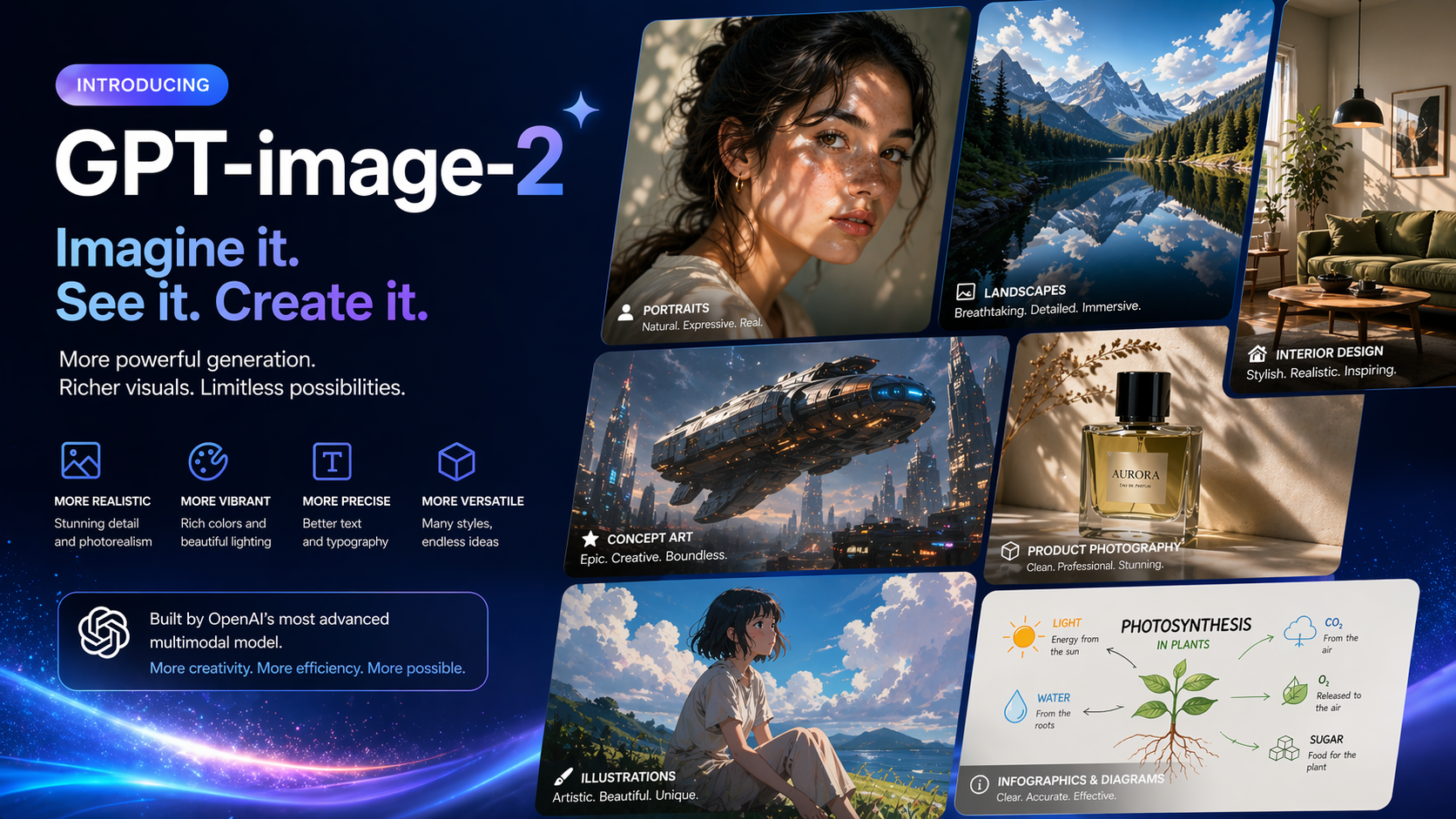
Prompt Ideas for GPT-Image-2
Minimal skincare bottle on travertine, soft daylight, luxury ad photography
Cinematic ramen shop in rainy Tokyo alley, neon reflections, 35mm film look
Modern SaaS dashboard hero illustration, coral and navy palette, editorial layout
Replace the background with a bright studio set and add subtle shadow under the product
Why Choose Our Tool?
Generation and Editing in One Model
GPT-Image-2 supports both image generation and image editing, so you can move from blank canvas to targeted revisions in the same workflow.
Flexible Output Sizes
OpenAI supports popular square, portrait, landscape, 2K, and 4K-oriented sizes, with custom resolutions available within model constraints.
Strong Prompt Accuracy
The model is designed for high-quality outputs with solid instruction following, making it useful for marketing visuals, product mockups, and concept art.
Reference-Driven Editing
Upload an existing image, describe the change, and use GPT-Image-2 to restyle scenes, refine compositions, or update assets without rebuilding them from scratch.
Built for Iteration
OpenAI's image workflow supports multi-turn editing, which makes GPT-Image-2 a strong fit for creative exploration and collaborative refinement.
Production-Friendly Controls
Adjust quality, size, format, compression, and moderation settings to match faster drafts, polished finals, or lightweight web exports.
How GPT-Image-2 Works on Juy.ai
GPT-Image-2 is OpenAI's state-of-the-art image generation model for fast, high-quality image generation and editing. On Juy.ai, you can start from a text prompt or build from an uploaded reference image, then iterate until the output matches your campaign, product, or design goal.
According to OpenAI's current documentation, GPT-Image-2 supports flexible image sizes, high-fidelity image inputs, and both the Image API and conversation-style workflows for multi-turn image editing. That makes it practical for teams that need quick drafts first and more controlled refinements after.
Use it to create hero banners, ad creatives, product scenes, social posts, storyboards, concept art, and polished brand assets without switching tools.
Best Use Cases
- ✓ Generate product ads, landing page hero images, and launch visuals
- ✓ Edit uploaded images with new backgrounds, styles, or composition changes
- ✓ Create 2K or 4K-oriented assets for presentations, campaigns, and banners
- ✓ Turn rough prompt ideas into polished concept art for creative direction
- ✓ Iterate on the same image across multiple rounds of feedback
- ✓ Produce branded visuals faster for social, e-commerce, and marketing teams
Start restoring your photos now and see your memories come back to life with the power of AI.
What People Are Saying
GPT-Image-2 is fast enough for ideation and polished enough for campaign work. We use it to move from concept directions to usable ad visuals in one flow.
Maya Foster
Growth Designer
The editing workflow is the real value. We can upload a product image, change scene direction with text, and keep iterating without rebuilding every asset manually.

Daniel Kim
E-commerce Creative Lead
Start Free, Upgrade for More Output
Use GPT-Image-2 on Juy.ai with free credits, then scale when you need more generations and faster throughput.
Free
- 30 free credits to test GPT-Image-2
- Browser-based image generation
- Prompt-to-image and editing workflows
- Standard generation speed
Juy Basic
- 500 credits monthly
- Access to GPT-Image-2 and other models
- Faster processing
- More room for campaign-scale iteration
Juy Pro
- 2000 monthly credits
- Higher-volume generation workflows
- Priority speed for creative teams
- Best fit for frequent production use
Why GPT-Image-2 Is Worth a Dedicated Workflow
OpenAI currently positions gpt-image-2 as its flagship GPT image model for fast, high-quality image generation and editing. That matters because most real creative work is not one-shot generation. Teams usually need to start with an idea, compare variations, upload a reference, revise details, and export an asset that is close to final. GPT-Image-2 is built for that pattern.
Key Capabilities Backed by Current OpenAI Docs
- Text-to-image generation: Start from a written prompt and generate original visuals.
- Image editing: Use the same model to update an existing image with new instructions.
- Flexible sizing: OpenAI documents support for common web, portrait, landscape, 2K, and 4K-oriented outputs, plus custom sizes within defined constraints.
- High-fidelity inputs: Reference images can be used in workflows where preserving important visual structure matters.
- Multi-turn iteration: OpenAI’s current image guide explicitly supports conversation-style refinement, which is useful for creative review cycles.
Best Use Cases for GPT-Image-2
GPT-Image-2 fits especially well when you need:
- polished hero graphics for websites and product launches
- ad creatives with multiple art directions
- social media assets that need quick variation testing
- reference-based edits instead of complete regeneration
- concept frames and mockups before production design starts
Prompting Tips That Usually Work Better
- Include subject, setting, lighting, composition, and intended style in one clean instruction.
- If you are editing an upload, describe both what should change and what must stay consistent.
- Use low-friction drafts first, then refine with more specific art direction once composition is right.
- Reserve larger 2K or 4K-oriented outputs for the final pass, not every experiment.
Frequently Asked Questions
Create with GPT-Image-2 on Juy.ai
Generate from prompts, edit from references, and iterate faster with OpenAI's latest GPT image workflow.
Open GPT-Image-2